What Happens in a UX Research Project?
The UX research process explained step by step: setting questions, recruiting users, running interviews and tests, and a findings report you can act on.
By Taiyaba · 6 min read
A UX research project follows a simple path: agree the questions you need answered, choose the right method, recruit people who match your users, run sessions, then turn what you saw into a short list of changes ranked by impact. The UX research process for a typical website or app takes two to four weeks, and the useful output is a findings report that tells your designers and developers what to fix first.
This article walks through each stage, what you will be asked for, what you get back, and where research is overkill.
Why run UX research at all?
Most product teams already have opinions about what is wrong. Research replaces those opinions with evidence from the people who actually use the product. It is cheaper to learn that customers don't understand your pricing page from six interviews than from three months of falling sign-ups after a redesign.
Research also settles internal arguments. When the founder wants a feature and the sales head wants another, watching five customers try to complete a task often makes the answer obvious to everyone in the room.
Step 1: Agree the research questions
Every good project starts with a short list of questions, written down and agreed before anyone talks to a user. "What do users think of our app?" is too vague to act on. Better questions look like these:
- Why do people who add items to the cart on mobile leave before paying?
- Can a first-time user find and book a slot in under two minutes?
- What do clinic receptionists do in the first ten minutes of their day, and where does our software slow them down?
At this stage the researcher will also ask for what you already know: analytics, support tickets, sales call notes, app store reviews and any previous research. These often answer part of the question before a single session is booked, and they shape who you need to recruit.
Step 2: Choose the method
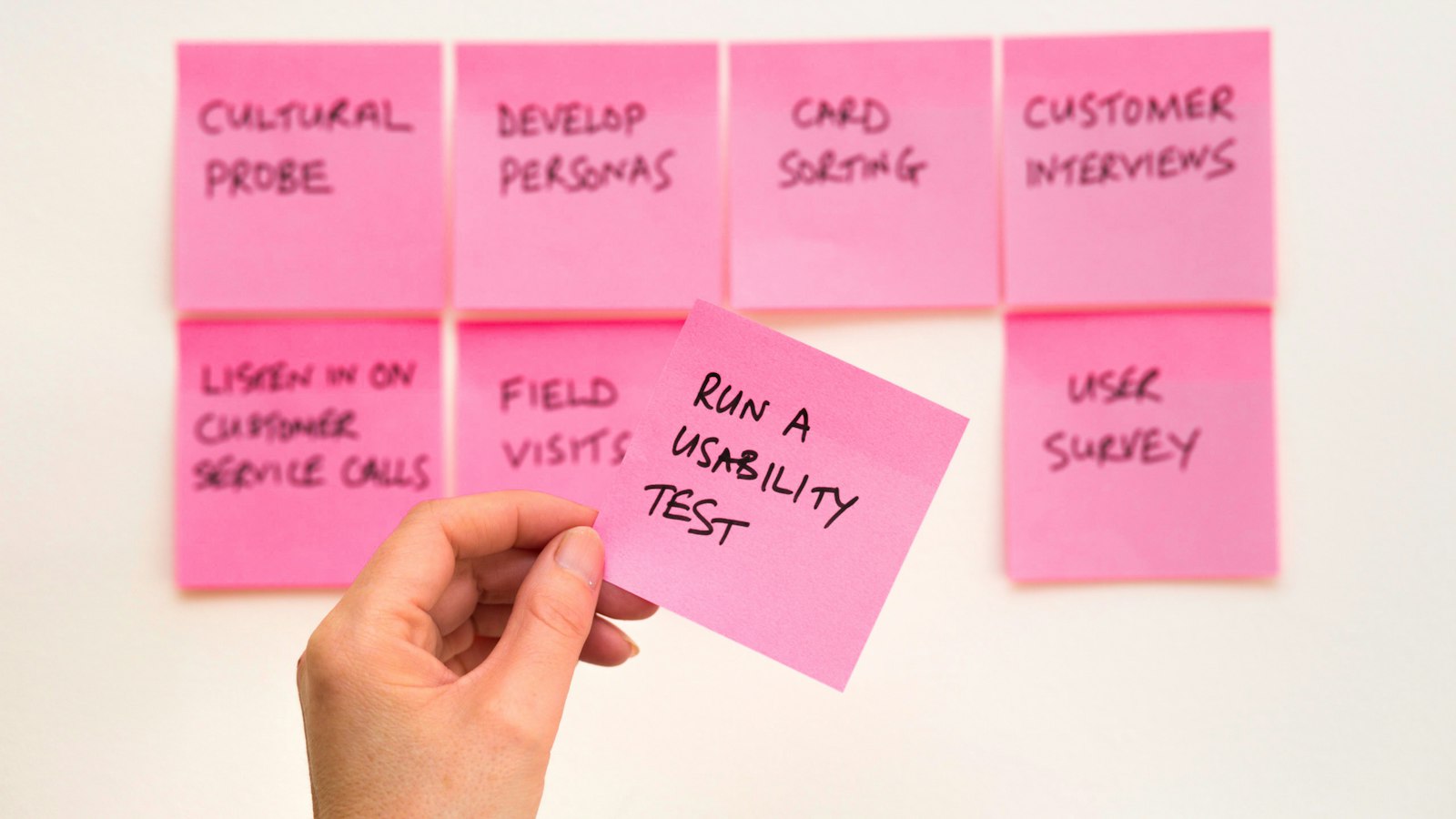
Different questions need different methods. The table shows the common ones and what each is good for.
| Method | Best for | Typical size |
|---|---|---|
| User interviews | Understanding needs, habits and reasons | 5–10 people per user type |
| Moderated usability tests | Watching people try real tasks and seeing where they get stuck | 5–8 people per round |
| Unmoderated tests (tools like Maze) | Quick checks on specific screens or flows | 15–50 people |
| Surveys | Measuring how common a problem is | 100+ responses |
| Analytics and session review | Finding where people drop off | Your existing traffic |
| Card sorting / tree testing | Organising menus and categories | 15–30 people |
Small numbers are normal for qualitative work. Usability practitioners have long found that a handful of participants per round reveals most of the serious problems, and that two small rounds with fixes in between teach you more than one large round. Surveys and analytics are where you need volume, because they measure how often something happens rather than why.
Step 3: Recruit the right people
Recruiting is where projects most often slip. The participants must match your real users: if your customers are pharmacy owners in tier-2 cities, interviewing your office colleagues tells you very little.
Common sources are your own customer list, people who signed up but never paid, a short screener posted on your social channels, or a paid recruitment panel. A short screener with four or five questions filters out people who don't fit. Plan a small thank-you payment or voucher; ₹500 to ₹1,500 for a 45-minute session is a typical range in India for general consumers, and specialists such as doctors or chartered accountants expect much more.
Language matters as well. If many of your users are more comfortable in Hindi, run those sessions in Hindi. People describe problems more honestly in the language they think in.
Step 4: Run the sessions
A moderated usability session usually lasts 30 to 60 minutes, often on a video call with screen sharing. The researcher gives the participant realistic tasks ("You need to reschedule your appointment to Friday afternoon") and asks them to think aloud. The researcher does not help, explain or defend the design. The silences and wrong turns are the data.
Interviews feel more like a guided conversation. Good interviewers ask about past behaviour ("Tell me about the last time you ordered supplies") rather than opinions about the future ("Would you use a feature that…"), because people are poor at predicting what they'll do.
With permission, sessions are recorded. Under India's DPDP Act, recordings of identifiable people are personal data, so participants should know how the recordings will be used and how long they'll be kept, and you should keep them only as long as needed.
Your team should watch at least two sessions live. Nothing convinces a developer faster than seeing a real customer fail to find a button they built.
Step 5: Analyse and report
After the sessions, the researcher goes through notes and recordings and groups observations into patterns. A single participant struggling might be noise. Five out of six missing the same "Continue" button is a finding.
The report should be short and practical. Each finding should state what happened, how many participants it affected, why it matters to the business and what to change. Findings are ranked by severity, so the team knows what to fix this sprint and what can wait. Clips of the key moments, a minute or two each, are often more persuasive than any slide.
A worked example
Picture an online store in Indore selling handloom sarees, with plenty of product views and few orders on mobile. Analytics show 70% of mobile visitors who reach the cart leave before paying. The team runs six moderated tests on mobile with recent visitors and past buyers.
Four of the six participants hunt for delivery charges and return policy before entering their address, and can't find them until the final step. Three hesitate at a mandatory account creation screen. Two try to pay by UPI and miss the option because it sits below the fold under card fields.
The report recommends three changes: show delivery cost and returns on the product page, offer guest checkout, and move UPI to the top of payment options. All three are small development tasks. The store then measures cart-to-order rate for the following month against the previous one.
When UX research is not worth the money
Research isn't always the right spend. If you have a very small product with a handful of users you speak to every week, you're already doing research informally. If the decision is easily reversible, such as a button label, an A/B test on live traffic may be cheaper than recruiting participants. And if you have no budget or time to act on the findings, wait until you do; a report nobody uses is wasted money.
Research also has limits. Five sessions show you why people struggle, not what percentage of your market shares the problem. For that, you need surveys or analytics alongside.
FAQ
How long does a UX research project take?
A focused usability study usually takes two to three weeks from agreeing questions to the final report, with recruiting taking the longest. Larger discovery projects with several user types can run four to six weeks.
How many users do I need to test with?
For usability testing, five to eight participants per user type per round is usually enough to find the main problems. Run a second round after fixing them to check the changes worked.
Can research be done remotely?
Yes, most interviews and usability tests now run over video calls, which makes it easy to include users in other cities or countries. In-person sessions still help when you need to see someone's real work setting.
The cost of research depends mostly on how many user types and sessions are involved, which we cover in our guide to UI/UX design cost in India. If you'd like someone to plan and run it, our UI/UX Design team handles research through to Figma screens, and you can read how we work as a UI/UX design company in Indore.
Cover photo by David Travis on Unsplash.
Tags
- UX research
- usability testing
- user interviews
- UI/UX design
More on this topicUI/UX Design